
Fluux Messenger 0.14.0 - Full Room Control & Richer Contact Profiles
Room moderation, MUC management, vCard support, and a wave of UX polish headline this release.


Fluux Messenger 0.14.0 is a major release. Fluux Messenger is growing fast. Thank you to everyone contributing, testing, and spreading the word!
This release finally brings room management. Moderators can retract messages, owners can manage rooms end-to-end, contacts have real profiles now, and the fix list is longer than usual. A lot landed in this release.
What's New
Full MUC Room Management
Fluux Messenger now supports the complete room lifecycle directly from the client. You can create, configure, and destroy MUC rooms without reaching for an admin console. Room owners also get full user management tools: change affiliations and roles, kick or ban occupants, and browse room directories with proper RSM pagination. A new modal lets you join any room directly by entering its JID.
This makes Fluux Messenger a serious option for teams self-hosting their own ejabberd server and managing communities day-to-day.
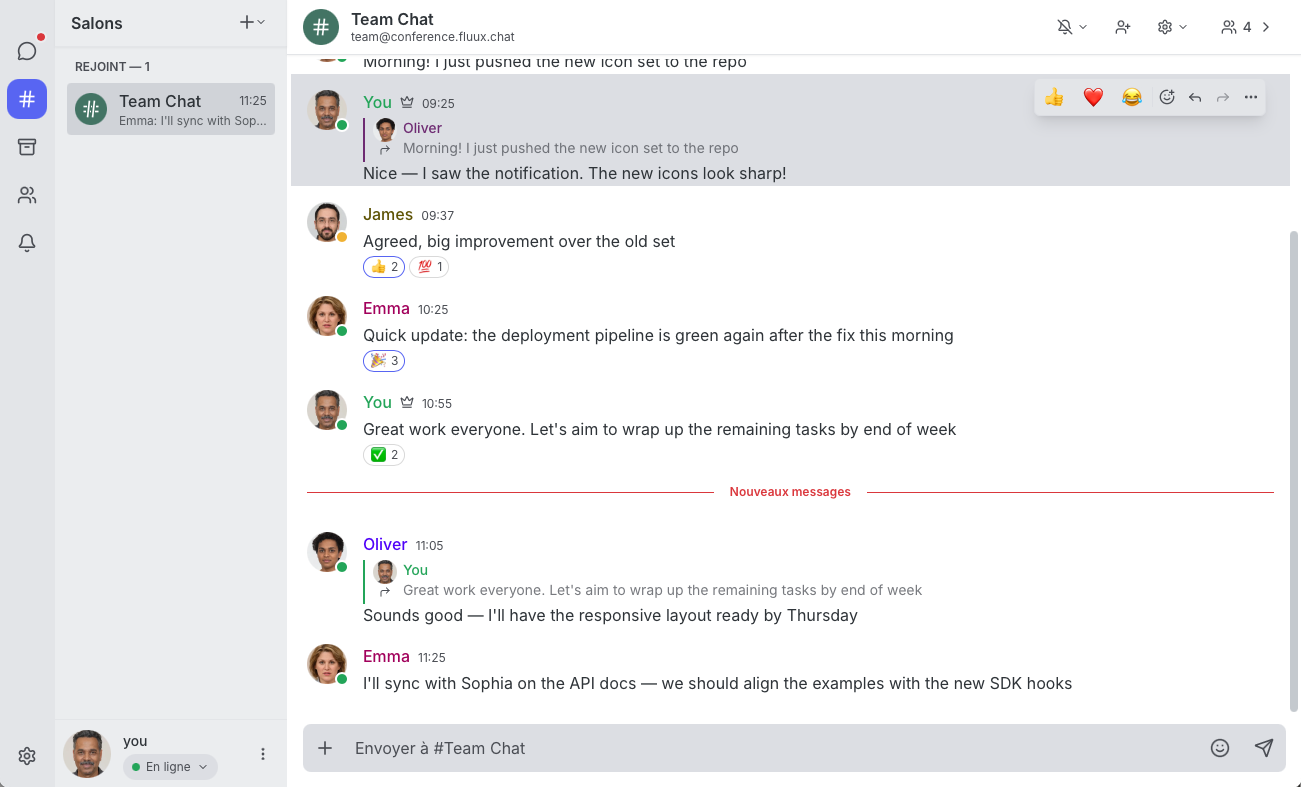
Message Moderation (XEP-0425)
Moderators can now retract messages posted by other users in MUC rooms, with full attribution and reason display. This is a meaningful step toward responsible community management inside open, sovereign messaging infrastructure — no proprietary platform required.
MUC Hat Management (XEP-0317)
Room owners can now define, assign, and remove hats for occupants via ad-hoc commands. Hats are a lightweight, expressive way to convey roles and status in a room beyond the standard affiliation model. The full hat management UI is accessible directly from the room interface.
Rich Contact Profiles with vCard (XEP-0054)
Contact information just got a lot more useful. Fluux Messenger now displays vCard data — full name, organisation, email, and country — in contact popovers and profile views. You can also edit your own vCard directly from profile settings, adding, updating, or removing fields as needed. No more opaque JIDs; your contacts now have a face and a name.
Per-Room Ignored Users (XEP-0223)
You can now ignore specific users on a per-room basis, with ignore lists stored server-side via Personal Eventing Protocol (XEP-0223). Filtering has been improved to cross-match JIDs and occupant IDs, and notifications from ignored users (including quoted replies) are now properly suppressed.
Contact Management from the Room
A new contact management dropdown in the occupant sidebar and a dedicated contact addition button in the profile screen make it easy to manage your contact list without leaving the conversation. Right-clicking (or long-pressing) a nickname in room messages now brings up an occupant context menu with quick actions.
Quality of Life
- Entity Time (XEP-0202) — see your contact's local time in the chat header and contact popover, handy for distributed teams.
- Message delivery errors are now displayed inline, with the option to retry sending directly.
- Do Not Disturb mode now suppresses sound and desktop notifications automatically.
- Font size setting added to appearance preferences.
- Avatar lightbox — click an avatar in message view to see it full-size.
- PEP-based conversation list sync (ConversationSync module) keeps your sidebar consistent across sessions.
- External links now open in a Tauri webview popup instead of jumping to the system browser.
- Full-screen occupant panel on small screens for a better mobile experience.
Bug Fixes & Reliability
This release addresses a significant number of issues:
- Active rooms now correctly move to the top of the sidebar on new messages
- Missing room messages after reconnect or app restart
- Blank window in MUC rooms caused by a stale ResizeObserver
- Reactions UI properly enabled in rooms with stable occupant identity
- Native window theme now syncs correctly with system mode in Tauri
- Modals no longer close when click-dragging from inside to outside
- Fixed: owner showing as moderator in the chat view
- Navigation stack management improved for mobile
Get Fluux Messenger
Download for Windows, macOS, or Linux on the latest Release page.
Source code is available at: GitHub
Your messages, your infrastructure: no vendor lock-in.
Sovereign by design. Built in Europe, for everyone.